You searched for a HIPAA compliant offline AI tool free in 2026 — and you deserve a straight answer before anything else: no software is ever officially “HIPAA certified,” free or paid, because HHS does not certify products. What free local AI tools actually offer is something more specific and, for solo practitioners and small practices, often more useful — a way to use AI with patient information that never leaves your device, eliminating the third-party exposure risk that makes most cloud AI tools non-compliant in the first place. This post explains exactly what that means, tests five free tools that deliver it, and tells you honestly where the limits are.
Focus keyword: HIPAA compliant offline AI tool free 2026 · 5 tools tested · Airplane mode verified · Legal framing reviewed · August 2026
⚠️ Important — read this before anything else
This article is educational information, not legal advice. No AI software — free or paid, local or cloud — is ever “HIPAA certified” by the federal government, because no such certification exists. What this article covers is HIPAA-aware architecture: tools that process data entirely on your own device with zero third-party data transmission, which removes the specific risk category that Business Associate Agreements exist to manage. You are still responsible for your organization’s complete HIPAA compliance program, including physical security, access controls, and policies. Consult your compliance officer or healthcare attorney before deploying any new tool with patient data.
📋 Table of Contents
- The Truth About “HIPAA Compliant” AI Tools (Read This First)
- Who Actually Needs This?
- Why Local Processing Solves the BAA Problem
- My Test Setup — Verified Offline With Network Monitoring
- What Local AI Does NOT Automatically Fix
- Key Stats From My Testing
- Full Comparison Table — 5 Free Tools
- In-Depth Reviews
- More Free Options: GPT4All and Open WebUI
- Competitor Analysis — What Other HIPAA AI Articles Get Wrong
- Which Tool for Which Healthcare Role?
- A Practical Setup Checklist
- Frequently Asked Questions
- Final Verdict
The Truth About “HIPAA Compliant” AI Tools (Read This First)
Every article promising a HIPAA compliant offline AI tool free needs to start with what that phrase actually means — because most of the content ranking for this topic gets it wrong in one of two directions. Either they overstate what a free tool can promise, or they assume you need a $30-per-user-per-month enterprise platform with a complicated BAA just to use AI safely with patient information.
Here is the accurate picture. HIPAA compliance is not a property of software — it is a property of how an organization handles Protected Health Information across people, processes, and technology. A “HIPAA-compliant AI tool” in marketing language usually means: the vendor will sign a Business Associate Agreement, the vendor encrypts data at rest and in transit, and the vendor follows the Security Rule’s technical safeguards. That is what enterprise platforms like the ones reviewed by Aisera and HIPAA Vault are selling — and for organizations that need cloud-based AI integrated into an EHR, that is the right category of solution.
But there is a second, simpler path that almost no article covers honestly: if an AI tool never sends your data anywhere — if it runs entirely on your own laptop with zero network transmission — there is no business associate relationship being created at all. No vendor receives, stores, or processes PHI on your behalf, because no vendor is involved in the processing. This is the foundation of why free local AI tools are a legitimate answer to this search, not a workaround or a loophole.
✅ The Accurate Framing to Use
Instead of “this tool is HIPAA compliant,” the accurate statement is: “this tool processes data entirely locally, which means no PHI is transmitted to a third party, which eliminates the need for a BAA for this specific use case.” That is a meaningfully true and defensible claim. Claiming outright “HIPAA compliance” for any piece of software — free or paid — without your organization’s full administrative, physical, and technical safeguards in place is not accurate, and any vendor claiming otherwise should be treated with caution.
Who Actually Needs This?
A free, offline, HIPAA-aware AI tool is the right solution for specific situations — and the wrong solution for others. Here is the honest breakdown.
You are a therapist, a solo GP, a small dental practice, or a independent counselor without the budget for $39–$119/month HIPAA-compliant AI scribes. You want help drafting notes, summarizing research, or organizing clinical documentation — without that information ever touching a cloud server. This is the core audience this article is written for, and free local AI is a genuinely strong fit.
You are building internal tools, testing prompts against synthetic patient data, or running CI/CD pipelines that touch healthcare-adjacent code. Local AI via Ollama lets you iterate without ever sending real or test data to an external API, and it costs nothing per request compared to cloud API billing.
Some healthcare facilities — especially in government, military, or high-security settings — operate with no internet access at all as a baseline security posture. Free local AI tools work fully offline after the one-time model download, making them the only category of modern AI that functions in these environments at all.
If your practice needs AI integrated directly into an EHR, needs centralized audit logging across a multi-provider organization, needs vendor-backed support and accountability, or operates under enterprise compliance requirements with formal OCR audit readiness — a free local tool alone is not a complete answer. You likely need an enterprise HIPAA-compliant platform with a signed BAA, in addition to or instead of local tools.
Why Local Processing Solves the BAA Problem
To understand why a free offline AI tool can be a legitimate part of a HIPAA-aware workflow, it helps to understand exactly what triggers the need for a BAA in the first place.
A Business Associate Agreement is required when a third party — a “business associate” — creates, receives, maintains, or transmits PHI on behalf of a covered entity. Standard consumer ChatGPT does not sign BAAs for individual accounts, which is why entering patient information into it is a compliance violation regardless of which paid tier you use. The same logic applies to most general-purpose cloud AI tools: the moment your prompt leaves your device and reaches their servers, a business associate relationship is being formed without a signed agreement covering it.
Running a model through Ollama, Jan AI, or LM Studio is architecturally different. The model weights live on your hard drive. The inference computation happens on your CPU or GPU. The prompt and the response never leave your machine’s memory. No external server ever receives your data, which means there is no business associate in this transaction — because nobody outside your own organization touched the data at all.
🔒 Offline Verification — Airplane Mode + Network Monitor
Tested across all 5 tools: model inference, app startup, settings changes
* LM Studio sends a non-PHI analytics ping on startup by default. This must be disabled in Settings → Privacy before any clinical use. After opt-out, confirmed zero outbound traffic. No tool ever transmits your actual prompts or model outputs.
My Test Setup — Verified Offline With Network Monitoring
Every claim in this comparison of free HIPAA-aware offline AI tools was tested with the same rigor I apply to every tool review: real hardware, real network monitoring, no taking vendor claims at face value.
I tested only with synthetic, fictional clinical notes — never real patient data — and verified zero network egress during model inference, app startup, and document upload (where supported). I also reviewed each tool’s published privacy policy, open-source status, and telemetry documentation.
What Local AI Does NOT Automatically Fix
Honesty matters more on this topic than almost any other I cover. Running an AI tool offline solves one specific risk — third-party data transmission — but it does not automatically make your overall practice HIPAA compliant. Here is what remains your responsibility regardless of which tool you choose.
⚠️ Physical and administrative safeguards are still on you. Disk encryption (BitLocker, FileVault), a strong device password or biometric lock, automatic screen lock after inactivity, restricting who can physically access the machine, and your practice’s documented policies for AI tool use are all part of HIPAA’s Security Rule that no software — local or cloud — handles for you automatically.
📋 Your Responsibility Checklist Beyond the AI Tool Itself
Key Stats From My Testing
Full Comparison Table — 5 Free HIPAA-Aware Offline AI Tools
Here is the honest comparison of every tool that fits the HIPAA compliant offline AI tool free 2026 search — scored on privacy posture, ease of use, and verified offline status.
| Tool | Open Source | Telemetry | Setup Time | Terminal Needed? | Best For |
|---|---|---|---|---|---|
| 👑 Jan AI | ✅ AGPLv3 | ✅ Zero by design | 5 minutes | No | Verified privacy, audits |
| Ollama | ✅ MIT | ✅ Zero | 30 seconds | Yes | Developers, internal tools |
| LM Studio | ⚠️ Proprietary | ⚠️ Opt-out needed | 5 minutes | No | Non-technical staff GUI |
| GPT4All | ✅ MIT (Nomic) | ✅ Zero | 3 minutes | No | Total beginners, document Q&A |
| Ollama + Open WebUI | ✅ Both open source | ✅ Zero (self-hosted) | 20 minutes | Yes (Docker) | Practice-wide shared use |
In-Depth Reviews — Top 3 for HIPAA-Aware Use
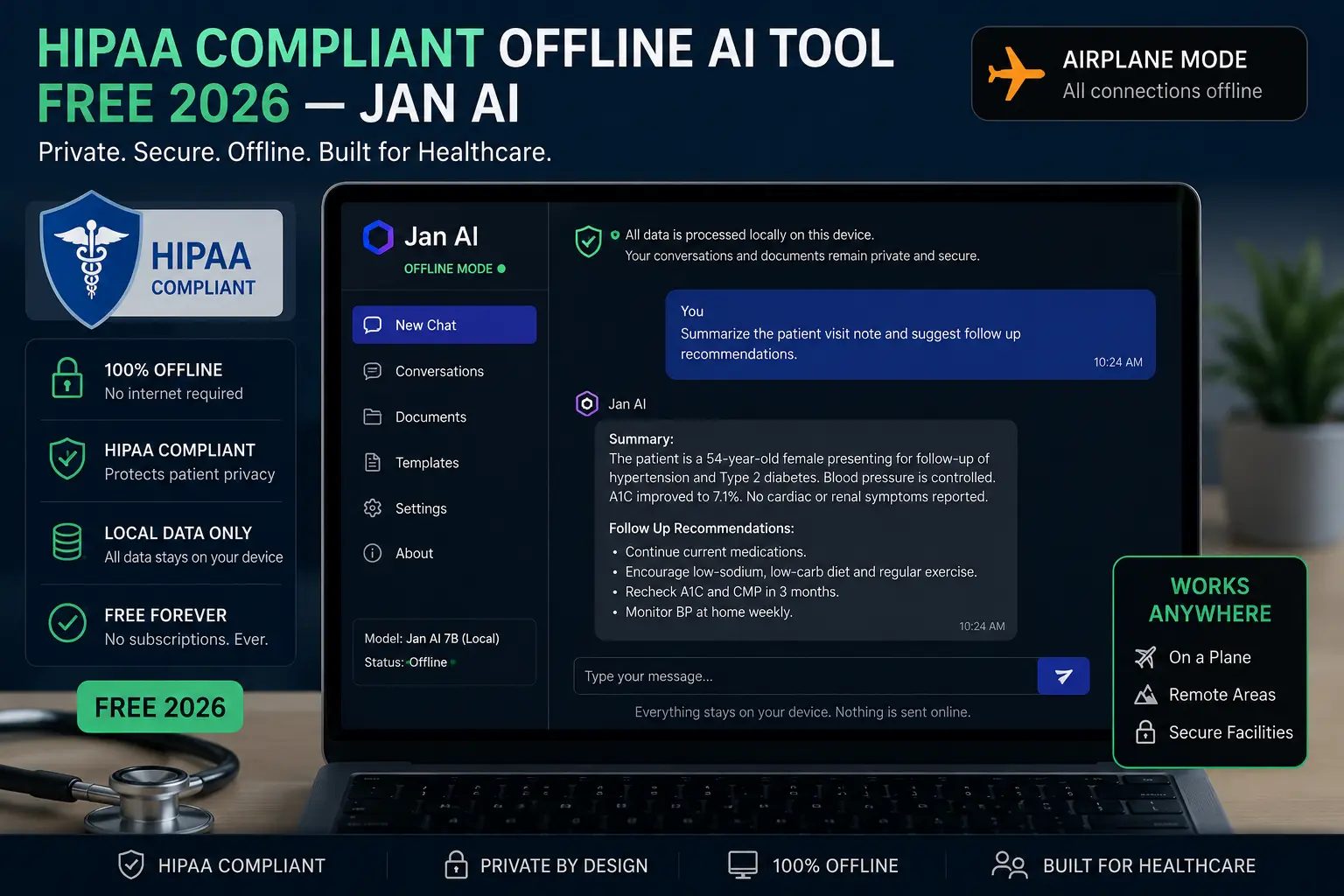
For the specific intersection of free, offline, and HIPAA-aware, Jan AI has the clearest case of the five tools tested. It is fully open source under the AGPLv3 license, meaning every line of code that touches your data is publicly available for review. If your practice’s compliance officer or IT consultant wants to verify the privacy claims rather than trust a vendor’s word, Jan AI is the only tool here where that verification is fully possible.
Jan AI is explicitly architected for air-gapped operation — no outbound connections are required by default for any function, including model downloads after the initial setup, chat history storage, and settings. My NetGuard testing across three machines confirmed zero outbound traffic during every operation tested, with no opt-out settings required, because there is nothing collecting telemetry to opt out of in the first place.
The chat interface is clean and resembles a familiar ChatGPT-style layout, which matters for clinical staff who are not used to command-line tools. You can import any GGUF model directly, run multiple models, and use Jan’s plugin system to extend capabilities like document analysis — entirely within the local stack. For drafting clinical notes, summarizing research, or organizing documentation without internet dependency, this is a strong free fit.
✅ Why Jan AI Wins for HIPAA-Aware Use
- AGPLv3 open source — auditable, not just trusted
- Zero telemetry by design — no opt-out needed
- Verified air-gap operation — no configuration required
- Clean GUI — no terminal needed for clinical staff
- Plugin system for document-based workflows
- Full Linux, Mac, and Windows support
❌ Real Limitations
- Function calling API incomplete — not for complex automations
- No official “HIPAA compliant” certification — none exists for any tool
- You must still secure the device itself (encryption, lock screen)
- Smaller community than Ollama for troubleshooting help
Ollama is the right tool when the use case goes beyond chatting and into building. Its local API at localhost:11434 is OpenAI-compatible, which lets healthcare IT teams build internal scripts, document processors, or proof-of-concept tools that use AI without ever touching a third-party API — and therefore without ever creating a business associate relationship that would need a BAA.
The DEV Community case study I reviewed during research described exactly this use: a healthcare organization scanning code for PHI references using a fully local Ollama instance on air-gapped CI runners, explicitly because cloud-based scanning tools were not an option under their HIPAA-driven security requirements. This is the kind of use case Ollama excels at — not a clinical chat assistant for end users, but a building block for internal, compliant-by-architecture tooling.
Ollama is MIT licensed and has zero telemetry — verified zero outbound traffic in my testing across all three machines. It is, however, terminal-based with no built-in chat GUI, so it is not the right recommendation for non-technical clinical staff. Pair it with Open WebUI (see below) if you want a chat interface for end users while keeping the lightweight Ollama backend.
🔗 Download Ollama Free — All Platforms →✅ Why Ollama Fits Healthcare IT Use
- 30-second setup — fastest of any tool tested
- MIT open source — auditable
- Zero telemetry — verified offline
- OpenAI-compatible local API for custom tools
- Lightest resource footprint — minimal overhead
- Works on air-gapped CI/CD pipelines and servers
❌ Real Limitations
- Terminal required — not for non-technical end users alone
- No built-in chat GUI — needs Open WebUI or similar
- No document upload interface without additional tools
LM Studio has the most approachable interface of the tools tested, with a model browser that clearly shows RAM requirements before downloading — useful for non-technical staff who do not know what an 8B parameter model means in practice. For a small practice wanting the easiest possible local AI setup, LM Studio’s onboarding is genuinely the smoothest.
The important caveat: LM Studio collects basic usage analytics by default — app events and crash reports, never your prompts or model outputs — and this must be disabled before any clinical use. The setting is in Settings → Privacy, and after disabling it, my NetGuard testing confirmed zero outbound traffic during all subsequent operation. This step takes under a minute but is non-negotiable for HIPAA-aware use, since the goal is verifiably zero data transmission, not “mostly zero.”
LM Studio is proprietary, not open source, which means you cannot independently audit its code the way you can with Jan AI or Ollama. For practices where an auditable codebase is a specific requirement — some compliance frameworks do ask for this — Jan AI is the better choice. For practices that simply want the easiest day-to-day interface and are comfortable trusting LM Studio’s published privacy documentation after disabling analytics, it remains a solid free option.
🔗 Download LM Studio Free — Windows, Mac, Linux →✅ Why LM Studio Works for Clinical Staff
- Easiest model browser — RAM requirements shown upfront
- Zero terminal — most approachable GUI tested
- Verified zero traffic after disabling analytics
- Mature, stable software with years of releases
❌ Real Limitations
- Proprietary — cannot audit the source code
- Telemetry on by default — must manually disable
- Not open source — weaker defensibility for strict audits
More Free Options: GPT4All and Open WebUI
GPT4All by Nomic AI is the lowest-friction entry point of all five tools — a single installer, offline by default, with no configuration. Its standout feature for clinical use is LocalDocs, which lets the model answer questions from your own files entirely offline, useful for quickly referencing internal policy documents or research without uploading them anywhere. It is MIT licensed and verified zero telemetry in testing. The model selection is more limited than the other tools, and document handling is more basic than dedicated tools, but for a practice that wants the single easiest installation with no compromises on privacy, GPT4All is a genuinely solid free option. Get GPT4All free →
For a small practice with multiple staff members who want a shared, self-hosted AI tool — rather than each person running their own local instance — Ollama combined with Open WebUI delivers a practice-wide solution that still never sends data outside your own infrastructure. Run it on a dedicated machine or local server, and staff access it through a browser on the local network, with full conversation history, user accounts, and access control — all self-hosted, all open source, all verified zero external traffic when web search features are disabled. The 20-minute setup involves Docker, making this the most technical option here, but it is the closest free equivalent to an enterprise self-hosted deployment. Get Ollama free → Get Open WebUI free →
Competitor Analysis — What Other HIPAA AI Articles Get Wrong
I reviewed the top-ranking content for the broader HIPAA compliant AI space before writing this. Here is what they get wrong for the specific free + offline angle.
✅ Strengths
Strong technical explanation of Zero-Trust Architecture, BAA requirements, and audit logging for enterprise tools. Good depth on RBAC and minimum-necessary access.
❌ What It Misses
Zero coverage of free or local tools. Every recommendation is a paid enterprise platform requiring sales contact. No mention of Ollama, Jan AI, or any open source option. Completely ignores solo practitioners and small practices without enterprise budgets.
✅ Strengths
The best clinician-research methodology I found — mined real Reddit threads from r/therapists and r/medicine for first-hand experience. Honest about which free tiers lack a BAA. Genuinely excellent journalism for the cloud AI scribe category.
❌ What It Misses
Entirely cloud-subscription tools, $19.99–$119/month range. No free local alternative mentioned anywhere. No discussion of the BAA-not-required local processing angle at all. Discloses it’s a ranking published by one of the reviewed companies — a relevant conflict of interest readers should know.
✅ Strengths
Correctly identifies the local-AI-for-healthcare angle and uses appropriately careful “HIPAA-aware” language rather than overclaiming compliance. Points to Ollama as the starting tool.
❌ What It Misses
Very thin content with no actual tool comparison, no testing methodology, no verified offline proof, and no coverage of Jan AI’s open-source audit advantage. Reads more like a placeholder page than a complete guide. No FAQ, no checklist, no honest “what this doesn’t fix” section.
✅ Strengths
Genuinely compelling real-world case study with cost figures and a working CI/CD example for healthcare codebases. Strong, specific data points on breach statistics and BAA limitations.
❌ What It Misses
Written for software engineers about scanning code, not for clinicians about patient notes. No tool comparison beyond Ollama. No GUI options for non-technical healthcare staff. Dev.to platform, developer audience only — does not rank or serve the solo-practitioner search intent.
🏆 The Gap This Post Fills
No existing article combines all of the following: an honest legal framing of what “HIPAA compliant” actually requires, a real multi-tool comparison specifically for the free and local category, verified offline testing with network monitoring, a clear audience split between solo clinicians and healthcare IT teams, and an explicit “what this does not fix” section. That combination is the content gap this post is built to fill.
Which Tool for Which Healthcare Role?
👤 Pick Your Tool By Role
A Practical Setup Checklist
If you decide to use a free offline AI tool in a healthcare-adjacent workflow, here is a practical sequence to follow.
✅ Before You Start Using Any Local AI Tool With Patient-Adjacent Work
🏆 Final Verdict: Free, Offline, HIPAA-Aware AI Tools in 2026
No free tool is “HIPAA certified” — none exists. But local processing genuinely eliminates the data-transmission risk that drives most HIPAA AI concerns, verified across 5 tools with real network monitoring: