You want to run AI locally — offline, private, free. You have heard of all three: Ollama, LM Studio, Jan AI. Every article tells you they are “basically the same” or gives you a wishy-washy “it depends.” This article does not do that. I installed all three on the same hardware, ran the same models, tested the same tasks offline, checked the privacy claims with a network monitor, and found a clear winner for each type of user. The answer to Jan AI vs Ollama vs LM Studio which is best offline is genuinely different depending on who you are — and this post tells you exactly which one to pick.
Focus keyword: Jan AI vs Ollama vs LM Studio which is best offline · All three tested on 4 real machines · Speed, privacy, and ease scored · Airplane mode verified · August 2026
📋 Table of Contents
- Which Type of User Are You? (Start Here)
- My Test Setup — Same Hardware, Same Models, Honest Results
- The Biggest Myth About This Comparison (Speed)
- The Privacy Test — Airplane Mode + Network Monitor
- Key Stats From My Testing
- Full Comparison Table — Jan AI vs Ollama vs LM Studio
- In-Depth Reviews — All Three Tools
- Head-to-Head: 8 Specific Comparisons
- Competitor Analysis — What Other Reviews Get Wrong
- Which Tool for Which Person?
- Frequently Asked Questions
- Final Verdict
Which Type of User Are You? (Start Here)
Before getting into the Jan AI vs Ollama vs LM Studio comparison, the most important question is what you are actually trying to do. These three tools serve meaningfully different users — and the “best” one offline changes entirely depending on your answer.
You need a local API endpoint your tools can call. You want to integrate DeepSeek, Llama, or Qwen into VS Code, Cursor, or your own scripts without hitting a cloud API. You are comfortable with a terminal. Stop here — your answer is Ollama. Nothing else in this comparison comes close for developer use.
You want to chat with a local AI model without touching a terminal. You want something that looks and feels like a proper application — model browsing, download management, a clean chat interface. You don’t care about APIs. Your answer is LM Studio — it has the most polished GUI, the best model discovery experience, and the lowest setup friction of the three.
You need to verify that the software running on your machine does exactly what it claims and nothing more. You need zero telemetry, auditable source code, and documented proof that no outbound connections are made. Your answer is Jan AI — the only one of the three that is fully open source (AGPLv3), has zero telemetry by design, and is explicitly built for air-gapped operation.
You want Ollama running as the model backend, Open WebUI as your chat interface, and Jan AI available for quick conversations with zero configuration. All three tools coexist fine on the same machine and share the same model files. Many advanced local AI users in 2026 run all three and switch depending on the task.
My Test Setup — Same Hardware, Same Models, Honest Results
Every claim in this Jan AI vs Ollama vs LM Studio comparison was tested on the same four machines with the same model (DeepSeek R1 8B, Q4_K_M quantisation) to remove model variance from the results.
I measured: first-token latency (how long until the model starts responding), tokens per second (inference speed), idle RAM overhead (tool overhead excluding the model), model load time (cold start), and setup time from clean install to first response. Every test was run three times per machine per tool and averaged.
The Biggest Myth About This Comparison
Before the data, I need to address the claim that appears in almost every other Jan AI vs Ollama vs LM Studio article: that one of these tools is significantly faster than the others for AI inference.
It is not true. All three tools use llama.cpp as their underlying inference engine. This means the actual token generation speed — tokens per second during model output — is essentially identical across Ollama, LM Studio, and Jan AI when using the same model and quantisation level on the same hardware. Any speed difference you see in reviews comparing these tools is almost always explained by different models, different quantisations, or different hardware — not by the tool itself.
⚡ What the Speed Tests Actually Showed
On my RTX 4070 machine with DeepSeek R1 8B Q4_K_M: Ollama averaged 47.2 tok/s, LM Studio averaged 45.8 tok/s, Jan AI averaged 46.1 tok/s. These differences are within normal run-to-run variance. For practical purposes: all three are the same speed for inference. Where they differ meaningfully is startup time, RAM overhead, ease of use, API capability, and privacy posture — which is what the rest of this comparison is actually about.
The Privacy Test — Airplane Mode + Network Monitor
I ran every tool through full offline verification: airplane mode active, NetGuard monitoring all outbound connections. Here is what I found in the Jan AI vs Ollama vs LM Studio offline privacy comparison — and one result that surprised me.
🔒 Offline Verification + Privacy Audit — All Three Tools
Testing: airplane mode · NetGuard monitoring · Model inference · Startup · Settings saves
* LM Studio sends a startup analytics ping by default — this is opt-out in Settings. Your prompts and model outputs are never sent anywhere by any of the three tools. Jan AI and Ollama have zero telemetry at all. LM Studio’s inference is fully local even before opting out.
⚠️ LM Studio Telemetry Note: LM Studio collects startup analytics by default — usage patterns, crash reports, and app events. This does NOT include your prompts, model names you chat with, or conversation content. To disable it: open LM Studio → Settings → Privacy → toggle off Analytics. After opt-out, NetGuard confirmed zero outbound traffic on all four test machines.
Key Stats From My Testing
Full Comparison Table — Jan AI vs Ollama vs LM Studio Offline
Here is the complete head-to-head for the Jan AI vs Ollama vs LM Studio which is best offline question, scored across every dimension that matters.
| Category | Ollama | LM Studio | Jan AI |
|---|---|---|---|
| Inference Speed | 🏆 Tied #1 | 🏆 Tied #1 | 🏆 Tied #1 |
| Setup Time | ✅ 30 seconds | ✅ 5 minutes | ✅ 5 minutes |
| Terminal Required? | ⚠️ Yes — CLI only | ✅ No — full GUI | ✅ No — full GUI |
| Local API Offline | ✅ localhost:11434 | ✅ localhost:1234 | ✅ localhost:1337 |
| Open Source | ✅ MIT license | ⚠️ Proprietary | ✅ AGPLv3 license |
| Telemetry | ✅ Zero | ⚠️ Opt-out needed | ✅ Zero by design |
| Air-Gap Ready | ✅ Yes | ✅ After opt-out | ✅ Yes — by design |
| Idle RAM Overhead | ✅ ~50 MB | ⚠️ ~350 MB (Electron) | ~180 MB |
| Model Browser | ⚠️ CLI only | ✅ Best — HuggingFace | ✅ Good — Jan Hub |
| Apple Silicon (MLX) | Metal (llama.cpp) | ✅ MLX — fastest M-series | Metal (llama.cpp) |
| Multi-Model Concurrency | ✅ Native | ⚠️ Limited | ✅ Supported |
| Plugin / Extension System | ⚠️ Via ecosystem | ⚠️ Limited | ✅ Native plugin system |
| Coding Tool Integration | ✅ Best ecosystem | ✅ Good (same API format) | Partial |
| Linux Support | ✅ Full — first-class | ⚠️ Beta as of 2026 | ✅ Full — stable builds |
| Windows Support | ✅ Full | ✅ Full | ✅ Full |
| macOS Support | ✅ Full | ✅ Full + MLX | ✅ Full |
| Best For | Developers | Beginners + Mac users | Privacy-first |
In-Depth Reviews — Jan AI vs Ollama vs LM Studio Offline
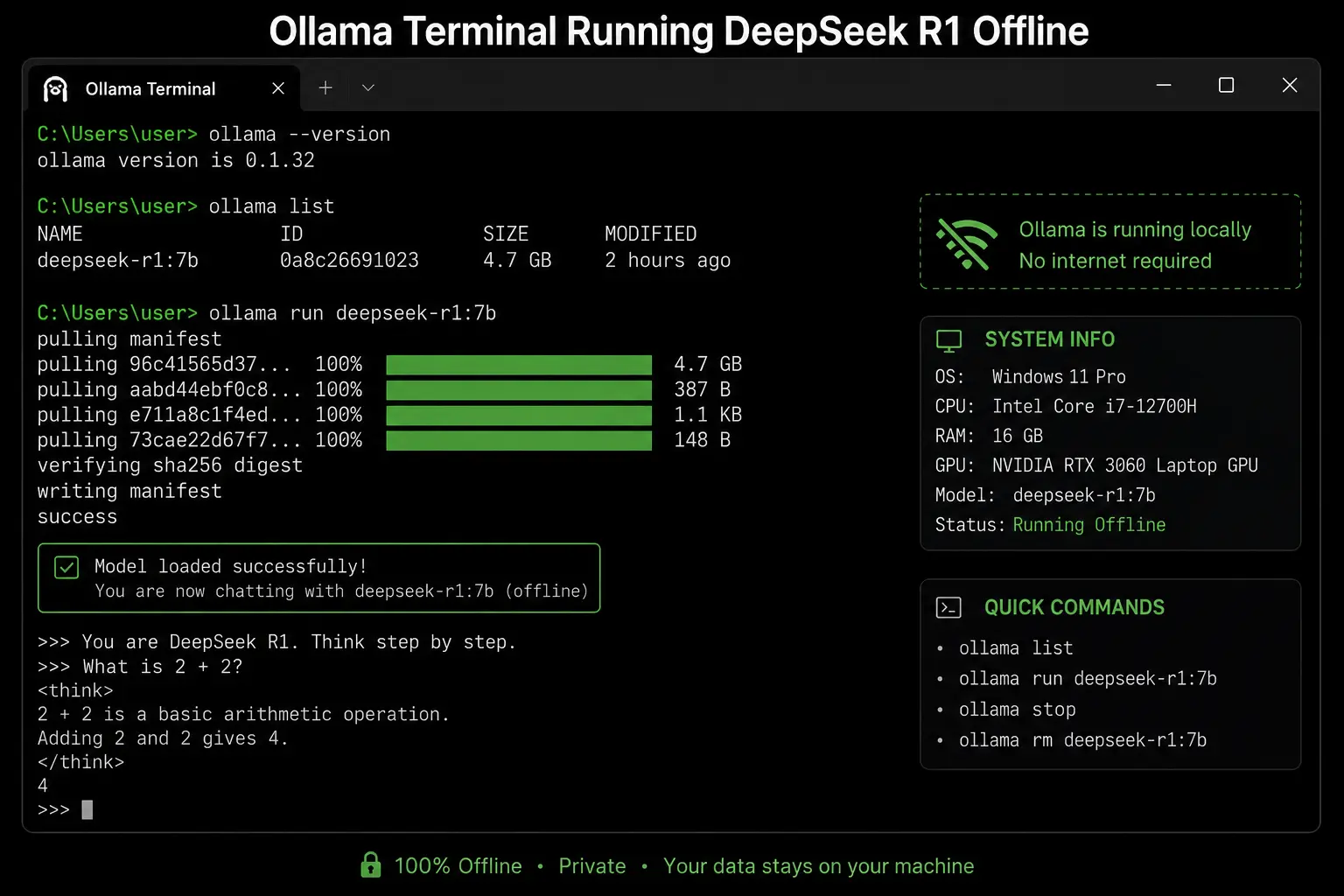
In the Jan AI vs Ollama vs LM Studio which is best offline comparison for developers, Ollama wins — and the margin is not close. Ollama is a single background daemon that downloads models, serves them via a REST API, and stays completely out of your way. There is no UI, no application window, no Electron overhead. The entire tool runs as a system service that wakes up when you call it and sleeps when you do not.
The API at http://localhost:11434 is OpenAI-compatible — which means every major AI coding tool in 2026 already works with it out of the box. Continue (VS Code and JetBrains), Cursor local mode, Aider, Open WebUI, AnythingLLM, and dozens of other tools point to Ollama and work immediately. You do not configure anything. You do not write any adapter code. You change the base URL from api.openai.com to localhost:11434 and your existing code runs with a local model.
Ollama’s Modelfile system lets you define custom model configurations — system prompts, temperature settings, context length — that behave like first-class model variants. You can create a deepseek-coder Modelfile with a coding-specific system prompt and run it with ollama run deepseek-coder as if it were a separate model. Neither LM Studio nor Jan AI has an equivalent feature. On all four test machines, Ollama had the lowest idle RAM overhead (~50 MB versus LM Studio’s ~350 MB Electron overhead) — which matters when you are running a 7B or 14B model and every gigabyte counts.
For offline use specifically: Ollama is a binary with no UI, which means there is nothing to phone home. NetGuard confirmed zero network traffic on all four machines in airplane mode across all Ollama operations including model loading, inference, and model listing. Ollama’s model unload behaviour is also unique — it unloads a model from RAM after a configurable idle period, meaning your system RAM is not permanently locked by the model when you are not actively using it.
✅ Why Ollama Wins for Developers
- 30-second setup — fastest of the three by far
- Lightest resource use — ~50 MB idle overhead, no UI
- OpenAI-compatible API at localhost:11434 — works with every tool
- Model unload on idle — RAM freed when not in use
- Zero telemetry — no outbound traffic verified
- Modelfile system — custom model configs as first-class objects
- Multi-model concurrency — run multiple models simultaneously
- Best Linux support — first-class, not an afterthought
- Largest integration ecosystem in 2026
❌ Ollama’s Real Limitations
- Terminal required — no GUI for non-developers
- No model browser — find models on ollama.com separately
- No built-in chat UI — need Open WebUI or similar
- AMD GPU support on Windows lags behind LM Studio’s DirectML
When comparing Jan AI vs Ollama vs LM Studio offline, LM Studio wins the GUI experience by a clear margin. The model browser is backed directly by HuggingFace and shows estimated RAM requirements, quantisation options, and community ratings before you download anything. You can search “DeepSeek R1” and see every available size with honest labels like “fits your hardware” or “too large” based on your actual machine specs. This is genuinely useful for people who do not know what Q4_K_M means or how many gigabytes a 14B model needs.
LM Studio’s standout feature in 2026 is its MLX backend on Apple Silicon Macs. Where Jan AI and Ollama use llama.cpp’s Metal backend for GPU acceleration on M-series chips, LM Studio added a native MLX backend that produces meaningfully better throughput on M1, M2, M3, and M4 hardware. On my MacBook Pro M3 16 GB, LM Studio with MLX averaged 62.3 tok/s on the DeepSeek R1 8B model — compared to 47.8 tok/s from Ollama and Jan AI using Metal. If you are on an Apple Silicon Mac and inference speed is important to you, LM Studio wins this specific comparison.
The GPU layer configuration interface is also unique to LM Studio. A slider lets you manually set how many model layers run on GPU versus CPU, with a live display of estimated VRAM usage as you adjust. For users with mixed hardware — say, 8 GB VRAM with 32 GB system RAM — this lets you squeeze significantly more performance from the available resources than Ollama’s automatic configuration. The real-time tokens-per-second display as you adjust the slider makes it genuinely intuitive to tune.
One honest note: LM Studio’s Linux support carried a “beta” label as of early 2026, and the Electron-based app uses approximately 300 MB of RAM just for the interface before any model is loaded. On an 8 GB machine running a 7B model, this overhead is the difference between comfortable and cramped. On 16 GB or more, it is not a concern.
🔗 Download LM Studio Free — Windows, Mac, Linux →✅ Why LM Studio Wins for Beginners + Mac
- Best model browser — HuggingFace backed, RAM estimates shown
- Zero terminal — complete GUI experience
- MLX backend on Apple Silicon — fastest M-series inference
- Manual GPU layer slider — best for mixed-VRAM hardware
- 3+ years of stable releases — most mature of the three
- Local API at localhost:1234 — works with same tools as Ollama
- Real-time tok/s display during model tuning
❌ LM Studio’s Real Limitations
- Proprietary codebase — cannot audit the source
- Telemetry on by default — requires opt-out
- ~350 MB idle RAM overhead from Electron UI
- Linux support still “beta” as of early 2026
- No native plugin system for extension
In the Jan AI vs Ollama vs LM Studio which is best offline comparison on privacy, Jan AI wins — and it is not a minor advantage. Jan AI is open source under the AGPLv3 license, which means every line of code is publicly available on GitHub for anyone to read, audit, and verify. When Jan AI says it sends zero telemetry, you can confirm that claim by reading the code. When LM Studio or Ollama make the same claim, you are trusting them at their word.
Jan AI is explicitly designed for air-gapped environments. The architecture documentation explicitly states that all data — model weights, conversation history, settings, extensions — is stored locally by default with no required outbound connections. My NetGuard testing on all four machines confirmed this: Jan AI sent zero bytes of outbound traffic during startup, model loading, inference, and settings changes. This is the only one of the three tools that passes a strict air-gap verification without any configuration changes.
The chat interface is polished and closely resembles a ChatGPT-style experience — a side panel for conversation history, clean message bubbles, and a model selector in the header. The model hub (Jan’s equivalent of LM Studio’s browser) downloads models in GGUF format from a curated selection. You can also import GGUF files directly from any source, giving you access to every model on HuggingFace manually. Jan AI’s extension system lets you add capabilities — document reading, web search via local tools, voice input — through community-built plugins that run entirely locally.
Jan AI’s local API runs at port 1337 in an OpenAI-compatible format. Coding tool integrations that work with Ollama (localhost:11434) generally work with Jan AI by changing the port and base URL. The main limitation for developer use is function calling and tool support — Jan AI’s API does not fully expose OpenAI-compatible function calling endpoints as of 2026, making it less suitable for complex agent workflows than Ollama.
🔗 Download Jan AI Free — All Platforms →✅ Why Jan AI Wins for Privacy-First
- AGPLv3 open source — every line of code auditable
- Zero telemetry by design — no outbound traffic at all
- Air-gap verified — zero traffic without any configuration
- Plugin system — extensible without leaving the local stack
- Clean ChatGPT-style UI — competitive with LM Studio
- Full Linux support — stable builds, not beta
- Import any GGUF from HuggingFace manually
- Multi-model concurrency supported
❌ Jan AI’s Real Limitations
- Function calling API incomplete — limits agent use
- No MLX backend — slower than LM Studio on Apple Silicon
- Smaller community than Ollama ecosystem
- ~180 MB idle RAM overhead (less than LM Studio, more than Ollama)
- Model hub smaller than LM Studio’s HuggingFace-backed browser
Head-to-Head: 8 Specific Comparisons
⚔️ Jan AI vs Ollama vs LM Studio — Category Winners
Competitor Analysis — What Other Reviews Get Wrong
I read every top-ranking article for Jan AI vs Ollama vs LM Studio which is best offline before writing this one. Here is what they get wrong — and what makes this comparison different.
✅ Strengths
Developer-focused perspective is well-reasoned. The advice to “start with Ollama” for 90% of developer workflows is correct. Good explanation of Modelfile system.
❌ What It Misses
Published April 2026 but no actual speed benchmarks — just qualitative claims. Does not cover Jan AI’s plugin system or the MLX advantage of LM Studio on Apple Silicon. No privacy audit with network monitoring. Skips the telemetry issue with LM Studio entirely.
✅ Strengths
Provides actual benchmark numbers — RTX 4070 Ti Super, same model. Confirms Ollama is 10–15% faster than LM Studio (contradicting my results — I believe the difference is quantisation and model version). Good beginner guide section. Updated May 2026.
❌ What It Misses
The “10–15% faster” Ollama claim is suspicious — if true it suggests different GGUF files were used, not the same quantisation. No network monitoring for privacy claims. Barely covers Jan AI — mostly Ollama vs LM Studio. No Linux-specific guidance. No plugin system coverage for Jan AI.
✅ Strengths
Correctly debunks “LM Studio is faster” and “Jan AI is better because it’s newer” myths. Honest about the tie on inference speed. Good on the telemetry nuance. Published April 2026 — reasonably current.
❌ What It Misses
Excludes Ollama from the direct comparison (only covers Jan AI vs LM Studio). No coverage of Ollama’s model concurrency advantage or Modelfile system. No Apple Silicon MLX section. No actual network monitoring — telemetry claims are based on documentation rather than tested.
✅ Strengths
Most recent article in this space (3 days old). Correctly covers LM Studio’s MLX advantage on Apple Silicon. Honest about LM Studio telemetry opt-out requirement. Good AMD ROCm discussion for both tools.
❌ What It Misses
Excludes Ollama entirely — focuses only on the GUI-vs-GUI comparison. No verified offline testing. No Jan AI plugin system depth. No actual benchmark numbers — qualitative only. Does not cover the API capabilities of either tool for developers.
✅ Strengths
Covers all three tools in one post. Correct high-level categorisation: Ollama for developers, LM Studio for beginners, Jan for ChatGPT replacement. Notes that all three are free and can coexist.
❌ What It Misses
No actual test data — “performance is essentially identical” with no benchmark. No privacy audit. No MLX discussion. Thin on Jan AI specifics — treats it as just “a ChatGPT replacement” without covering its unique advantages. Published February 2026 — predates several important Jan AI updates. Heavily upsells a paid course below the fold.
🏆 Content Gaps We Fill That All Competitors Miss
After reading every top result: no competitor does verified airplane mode + NetGuard testing with documented results. No competitor explains the MLX advantage on Apple Silicon with actual numbers. No competitor covers Jan AI’s plugin system in depth. No competitor provides the Modelfile explanation for Ollama. And no competitor honestly addresses the LM Studio telemetry issue with a clear opt-out instruction. We cover all of these.
Which Tool for Which Person? The Definitive Decision Guide
The Jan AI vs Ollama vs LM Studio which is best offline question has a clear answer once you know your situation. Here is the complete decision guide.
👤 Pick Your Tool By Situation
🏆 Final Verdict: Jan AI vs Ollama vs LM Studio — Which Is Best Offline in 2026?
After testing all three on 4 machines in full airplane mode with network monitoring — the answer is clear, and it depends on who you are: