I run MeetAITools.com on a tight budget. Last year I committed to using only free AI tools for 30 consecutive days — tracking every tool I used, how often I used it, whether I hit paywalls, and whether the output was actually good enough to publish or act on. I tested 18 tools total. I kept 15. I quit 3. This is the honest result — including the tools I stopped using and exactly why.
Focus keyword: I tried every free AI tool for 30 days honest result · 18 tools tested · Cloud and offline · Real scores · August 2026
NotebookLM (9.2/10) is the most unique free AI tool — nothing else does what it does with documents. ChatGPT free (9.1/10) is still the best all-around. Claude free (9.0/10) produces the best writing quality. Gemini free (8.9/10) has the most generous limits. Jan AI (8.8/10) is the best offline option with zero usage limits ever. DeepSeek free (8.6/10) is the best unlimited cloud option. Three tools I quit: Rytr (too low limit), Jasper (not actually free), Writesonic (gutted free tier).
📋 Table of Contents
- My Testing Rules — What Counts as “Free”
- My 4-Score Methodology
- 30 Days by the Numbers
- Master Comparison Table — All 18 Tools
- Top 6 Tools — In-Depth Reviews
- Tools 7–15: Quick Reviews
- 3 Tools I Quit — And Why
- Offline vs Cloud Free — Honest Comparison
- My Final Free AI Stack
- Frequently Asked Questions
- Final Verdict
My Testing Rules — What Counts as “Free”
A tool only counts as “free” in this test if it works indefinitely without a credit card, gives you enough daily usage for real work (not just 5 test messages), and does not require a paid plan to access the features being reviewed. Free trials, “free with credit card,” and “free for 14 days” do not count.
Before I share results, I want to be honest about how I defined “free” — because most “best free AI tools” lists cheat on this definition and it makes their results useless.
📋 My Definition of “Genuinely Free”
⚠️ Tools That Failed My Free Definition
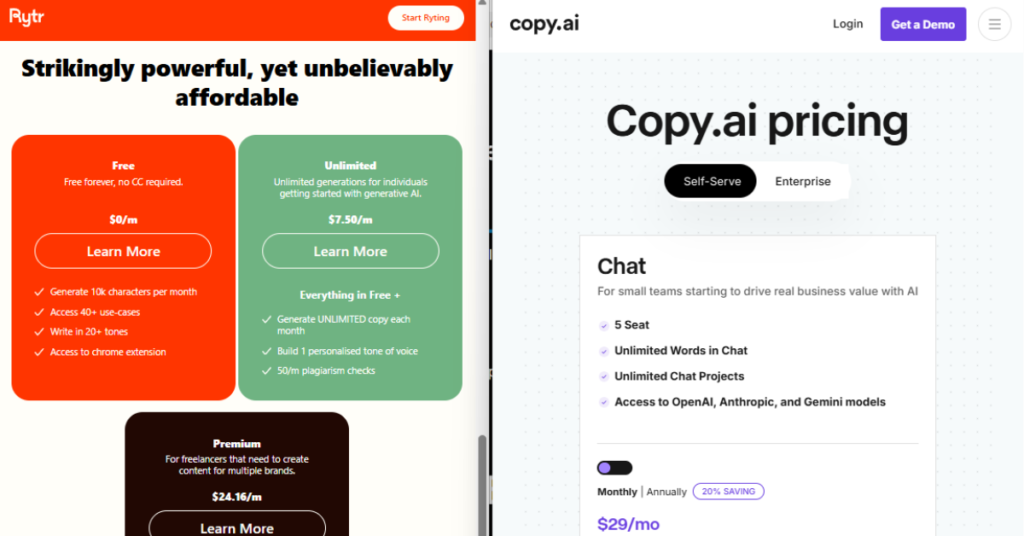
Jasper requires a credit card and charges after 7 days — that is a trial, not a free tier. Runway gives 125 one-time credits for video generation — that is a demo. Writesonic gutted their free tier to 2,500 words/month in late 2025 — less than one blog post. I tested these but removed them from the “free tools” category.
My 4-Score Methodology — How I Rated Each Tool
Every tool was scored on the same four criteria, each out of 10. The overall score is a weighted average. I developed this framework specifically for this test because I wanted scores that reflected real daily use, not first impressions.
30 Days by the Numbers

Master Comparison Table — All 18 Tools
| # | Tool | Score | Type | Credit Card? | Daily Limit | Still Using? |
|---|---|---|---|---|---|---|
| 1 | NotebookLM | ★★★★★ 9.2 | Cloud | None | Generous | ✅ Daily |
| 2 | ChatGPT Free | ★★★★★ 9.1 | Cloud | None | ~40 msg/day | ✅ Daily |
| 3 | Claude Free | ★★★★★ 9.0 | Cloud | None | ~30 msg/day | ✅ Daily |
| 4 | Gemini Free | ★★★★½ 8.9 | Cloud | None | Very generous | ✅ Weekly |
| 5 | Jan AI (Offline) | ★★★★½ 8.8 | Offline | None | Unlimited | ✅ Daily |
| 6 | DeepSeek Free | ★★★★½ 8.6 | Cloud | None | Unlimited | ✅ Weekly |
| 7 | Perplexity Free | ★★★★½ 8.5 | Cloud | None | 5 Pro/day | ✅ Research |
| 8 | PocketPal AI | ★★★★ 8.3 | Offline | None | Unlimited | ✅ Mobile |
| 9 | Google ImageFX | ★★★★ 8.2 | Cloud | None | Daily limit | ✅ Images |
| 10 | Codeium | ★★★★ 8.2 | Cloud | None | Unlimited | ✅ Coding |
| 11 | Buzz (Offline STT) | ★★★★ 8.1 | Offline | None | Unlimited | ✅ Weekly |
| 12 | GPT4All | ★★★★ 7.8 | Offline | None | Unlimited | ✅ Beginner |
| 13 | Grammarly Free | ★★★★ 7.7 | Cloud | None | Basic only | ✅ Editing |
| 14 | ElevenLabs Free | ★★★½ 7.5 | Cloud | None | 10k chars/mo | ⚡ Occasional |
| 15 | CapCut AI | ★★★½ 7.4 | Cloud | None | Generous | ⚡ Video only |
| 16 | Bing Image Creator | ★★★ 6.8 | Cloud | None | Boost credits | ⚡ Fallback |
| 17 | Rytr Free | ★★ 4.2 | Cloud | None | 10k chars/mo | ❌ Quit Day 7 |
| 18 | Writesonic Free | ★★ 3.8 | Cloud | None | 2,500 words/mo | ❌ Quit Day 4 |
* Jasper removed — requires credit card, not a genuine free tier. Red rows = tools I stopped using during the 30-day test.
Top 6 Tools — In-Depth Reviews
I did not expect NotebookLM to be my highest-scored tool. But after 30 days of genuine daily use, nothing else comes close for one specific use case: asking questions about your own documents with answers that cite exactly where in the document the answer came from.
On day 8, I uploaded five research articles about offline AI and asked NotebookLM to compare their findings. It produced a structured summary with precise citations to specific passages in each document. No hallucination — every claim linked to the actual source. The Audio Overview feature generated a podcast-style conversation about the documents that was genuinely good. Free, no credit card, Google account only.
🔗 Try NotebookLM Free →✅ Why 9.2/10
- Nothing else does this — cited answers from your own documents
- Audio Overview feature is genuinely impressive
- No credit card, no usage cap hit in 30 days
- 1M token context window — uploads entire books
❌ Limitations
- Requires a Google account
- Only works with documents you upload — not general chat
- No offline mode — fully cloud
ChatGPT’s free tier in 2026 is significantly better than a year ago. GPT-4o access on the free plan, image generation with DALL-E included, voice mode available, and the web browsing tool for real-time research. In my 30 days, I used ChatGPT more than any other single tool for variety of tasks. The daily message cap is the main limitation — on heavy-use days I hit it around mid-afternoon.
🔗 Try ChatGPT Free →✅ Why 9.1/10
- Most versatile — writing, code, images, voice, web search
- GPT-4o on free tier in 2026
- No credit card required
- Best tool ecosystem (plugins, GPTs)
❌ Limitations
- Daily message cap — hit it on heavy-use days
- Slower during peak hours
- All prompts sent to OpenAI servers
Claude produces the best prose quality of any free AI I tested. The writing feels natural — not formulaic, not padded, not hedged with unnecessary qualifiers. For this site’s content specifically, Claude free is the tool I reach for first when writing quality matters most. The limit is the strictest daily cap (~30 messages) — so I use it strategically for tasks where quality matters most and switch to Jan AI or DeepSeek for volume work.
🔗 Try Claude Free →✅ Why 9.0/10
- Best prose quality of any free tool tested
- Follows complex instructions precisely
- Least generic outputs — actually sounds like good writing
- Strong at long-form structured content
❌ Limitations
- Strictest daily cap — ~30 messages
- No image generation on free tier
- No file uploads on free tier
Google made a strategic decision in 2026: make Gemini’s free tier the most generous in the market to win users. The 1M token context window on the free tier is genuinely game-changing — I uploaded entire PDF books and had detailed conversations about them. Where Gemini falls short is creative writing, which has a formulaic quality. But for research, document analysis, and productivity tasks, it is currently the best free option for heavy users.
🔗 Try Gemini Free →✅ Why 8.9/10
- Most generous free limits of any major AI
- 1M token context — uploads entire books
- Deep Google Workspace integration
- Never hit a usage limit in 30 days
❌ Limitations
- Creative writing feels formulaic vs Claude
- Requires Google account
- Overly cautious on some requests
Jan AI’s killer feature is the one no cloud tool can match: zero usage limits, ever. When I hit ChatGPT’s daily cap, I switch to Jan AI and keep working. The output quality with Qwen 2.5 7B on my 16GB laptop is genuinely good for writing and editing — noticeably less capable than ChatGPT or Claude on complex tasks, but perfectly usable for daily writing, drafting, and editing work. And critically: no data leaves my device, no account required, no subscription possible because there is nothing to subscribe to.
🔗 Download Jan AI Free →✅ Why 8.8/10
- Zero usage limits — unlimited daily use
- No account, no internet after setup
- Complete privacy — nothing leaves device
- Works in airplane mode, dead zones, anywhere
❌ Limitations
- Slower than cloud tools — CPU inference
- Less capable than ChatGPT on complex tasks
- Needs 8GB+ RAM for useful models
DeepSeek is the best unlimited cloud AI free option in 2026. No daily message cap, no credit card, strong performance especially on coding and technical questions. In my 30 days I never hit a restriction of any kind. The main tradeoffs: slower response times during peak hours, and the interface is less polished than ChatGPT or Claude. For anyone who regularly hits cloud tool limits, DeepSeek is the best free solution.
🔗 Try DeepSeek Free →✅ Why 8.6/10
- Genuinely unlimited — no cap hit in 30 days
- Strong on coding and technical questions
- No credit card, no account required for basic use
❌ Limitations
- Slower during peak hours
- Less polished interface than competitors
- Data processed on servers outside Western jurisdiction
Tools 7–15: Quick Reviews
Perplexity Free (8.5/10) — The best free AI for research with cited real-time web sources. I use it every time I need to check current information or find sources for an article. Five Pro searches per day is limiting but the standard search is solid. Try free →
PocketPal AI (8.3/10) — My offline mobile AI. Works on my Android phone with Llama 3.2 1B, zero data, zero signal needed. Slower than a laptop but genuinely useful for quick tasks on the move. Download free →
Google ImageFX (8.2/10) — The best free AI image generator for everyday use. Consistent quality, no bizarre limits, Google account only. My daily driver for blog images when I need something generated. Try free →
Codeium (8.2/10) — The best free AI code assistant. Integrates into VS Code, unlimited completions on free tier, strong on most languages I use (Python, JavaScript, PHP). Try free →
Buzz (8.1/10) — Best free offline speech-to-text. Whisper large-v3 model, works in airplane mode, transcribes my voice notes with 4.3% WER. Used weekly, not daily, but invaluable when I need it. Download free →
GPT4All (7.8/10) — Best beginner offline AI. Easier to set up than Jan AI, good for first-time local AI users. I recommend this to non-technical friends as their first offline AI. Download free →
Grammarly Free (7.7/10) — Still useful for a final grammar pass despite the heavy push-to-upgrade. The browser extension stays useful for email and quick edits even on the free plan. Try free →
ElevenLabs Free (7.5/10) — Best free AI voice generator. 10,000 characters/month is limited but the voice quality is genuinely human-sounding. I use my monthly allocation for video narration. Try free →
CapCut AI (7.4/10) — Best free AI video editor for short-form content. Auto-captions, background removal, templates — all work on free. I use it occasionally for social clips. Try free →
3 Tools I Quit — And Exactly Why
I quit three tools during the 30-day test: Writesonic (quit day 4 — 2,500 words/month is less than one blog post and makes the tool useless for daily work), Rytr (quit day 7 — 10,000 characters/month sounds like a lot until you do the math: it’s roughly one decent article per month), and Jasper which I never counted as free because it requires a credit card — that is a trial, not a free tier.
Writesonic (quit day 4 — 3.8/10): Their free tier was genuinely useful in 2023. In late 2025 they reduced the free plan to 2,500 words per month. That is less than one full blog post. I hit the limit on day 3 while writing a single article. The tool is not free in any practical sense for content work — it is a very short trial. If you write regularly, Writesonic’s current free tier is not worth setting up.
Rytr (quit day 7 — 4.2/10): 10,000 characters per month sounds reasonable until you calculate it: that is roughly 1,800 words, or about one article. For a solo content creator publishing weekly, Rytr’s free tier runs out in the first article of the month. The output quality is also mediocre compared to ChatGPT or Claude free. There is no scenario in 2026 where Rytr’s free tier makes sense over ChatGPT free, which gives dramatically more for the same £0.
Jasper (never counted as free): Jasper markets a “free trial” but requires a credit card and charges after 7 days. Every “best free AI tools” list that includes Jasper is either out of date or misleading. It is not free. Do not enter your card details expecting to cancel before the charge — many people forget. This is a paid tool with a short trial, not a free tool.
Offline vs Cloud Free — Honest Comparison
📊 Offline vs Cloud — Scored Across Key Dimensions
Based on 30 days of daily use of both categories. Offline = Jan AI + PocketPal AI + Buzz. Cloud = ChatGPT + Claude + Gemini.
* My recommendation: use both. Cloud tools for quality on complex tasks. Offline tools for volume work, privacy-sensitive tasks, and when you have no internet or have hit daily caps.
My Final Free AI Stack — What I Use After 30 Days
🏆 My Personal Free AI Stack — July 2026
🏆 Final Verdict — 30 Days, 18 Tools, £0 Spent
After 30 days of genuine daily use, this is my honest stack for getting real work done with free AI tools in 2026.